NEWSLETTER: June 2026
Skylims Tasks - How do I make sure nothing slips through?
Edition 7 5-minute read
A complaint arrives by email. Someone writes it on a sticky note. A doctor phones looking for results urgently, and the note is abandoned. Three weeks later, nobody can remember whether it was resolved, who handled it, or who was responsible. Sound familiar?
In this edition, we look at the Skylims Task system: a built-in tool for logging, assigning, tracking and closing complaints, incidents, non-conformances and internal actions in your laboratory.
Complaints, Incidents, Corrective actions and everything in between
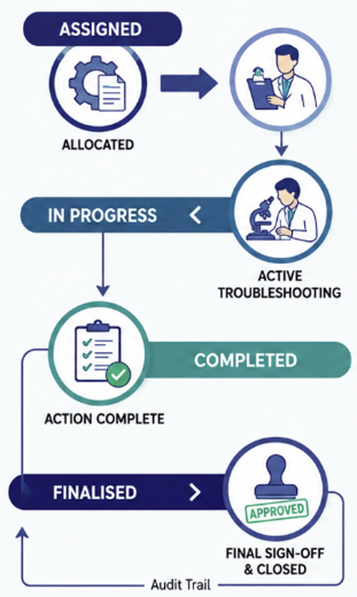
Skylims Tasks replaces informal tracking with a structured, configurable workflow that can cover a full spectrum of laboratory events. Task properties are configured to record essential information, such as the person assigned to handle the event, the turnaround time expected, and the actions required for resolution.
Tasks are highly customisable – appropriate fields can be specified for every type of task. A customer complaint may require customer and complaint details, while a non-conformance may require the ISO clause number, root cause analysis, preventative measures and documented SOPs in question.
| Task Type Examples | Covers |
|---|---|
| Customer Complaint | Patient and doctor complaints and feedback |
| Non-Conformance | Pre/post-analytical error handling |
| Quality Control Review | QC failures and EQA findings |
| Equipment Service | Instrument maintenance and repair, services and reagent issues |
| Safety Event | Incidents, IODs and near-misses |
| Account Queries | Billing or admin queries |
While working on a requisition in Skylims, tasks can be created directly with a click of a button. This allows you to easily navigate between both entries to monitor progress and ensure the best possible outcome.
How does Skylims Tasks support visibility of my daily operations?
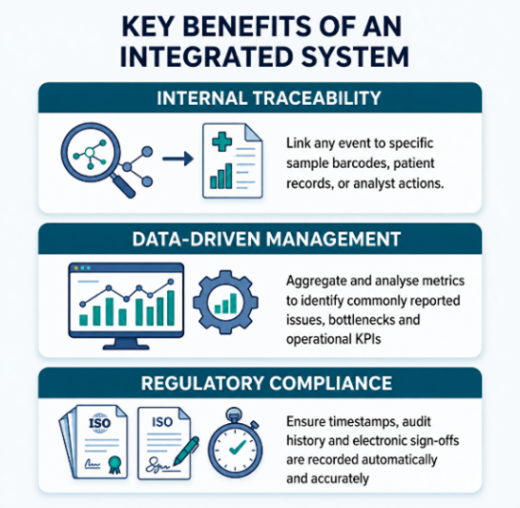
A central platform accessible to everyone makes a massive difference on management of operational tasks and issues. The Task List is where the visibility advantage becomes tangible. Every active task in your laboratory is available in one place, filtered by type, status, site, responsible person, patient, requisition number, overdue flag, or due date. Managers can see their team's workload at a glance. Individuals can see exactly what has been assigned to them and what is due. Nothing exists only in someone's inbox.
Skylims Tasks helps staff to respond efficiently to unexpected and potentially damaging concerns raised both in and out of the lab.
Trend analysis and KPIs
Every task and action on the system builds up a record of the problems your lab experience. Are there specific instruments that have an unacceptable amount of downtime across many sites? Are doctors complaining often about their report turnaround times in a certain location? Customers complaining about rude staff?
Make use of our Power BI services to get trend analysis that makes it possible to highlight the most crucial and most common issues to address. Resolving, tracking and reviewing the statistics of the tasks logged can create a continuous improvement cycle over many categories.
How can I align my CRM strategy with Skylims Tasks?
Managing relationships with clinicians, patients and accreditation bodies can either make or break a business. That is why implementing a CRM framework is crucial to the organisation's success. Every interaction and every complaint are touchpoints to keep your clients satisfied and deliver excellent service.
So, how do Skylims Tasks support CRM strategies? The comparison below shows you exactly which benefits you can expect when incorporating basic client interactions n Skylims:
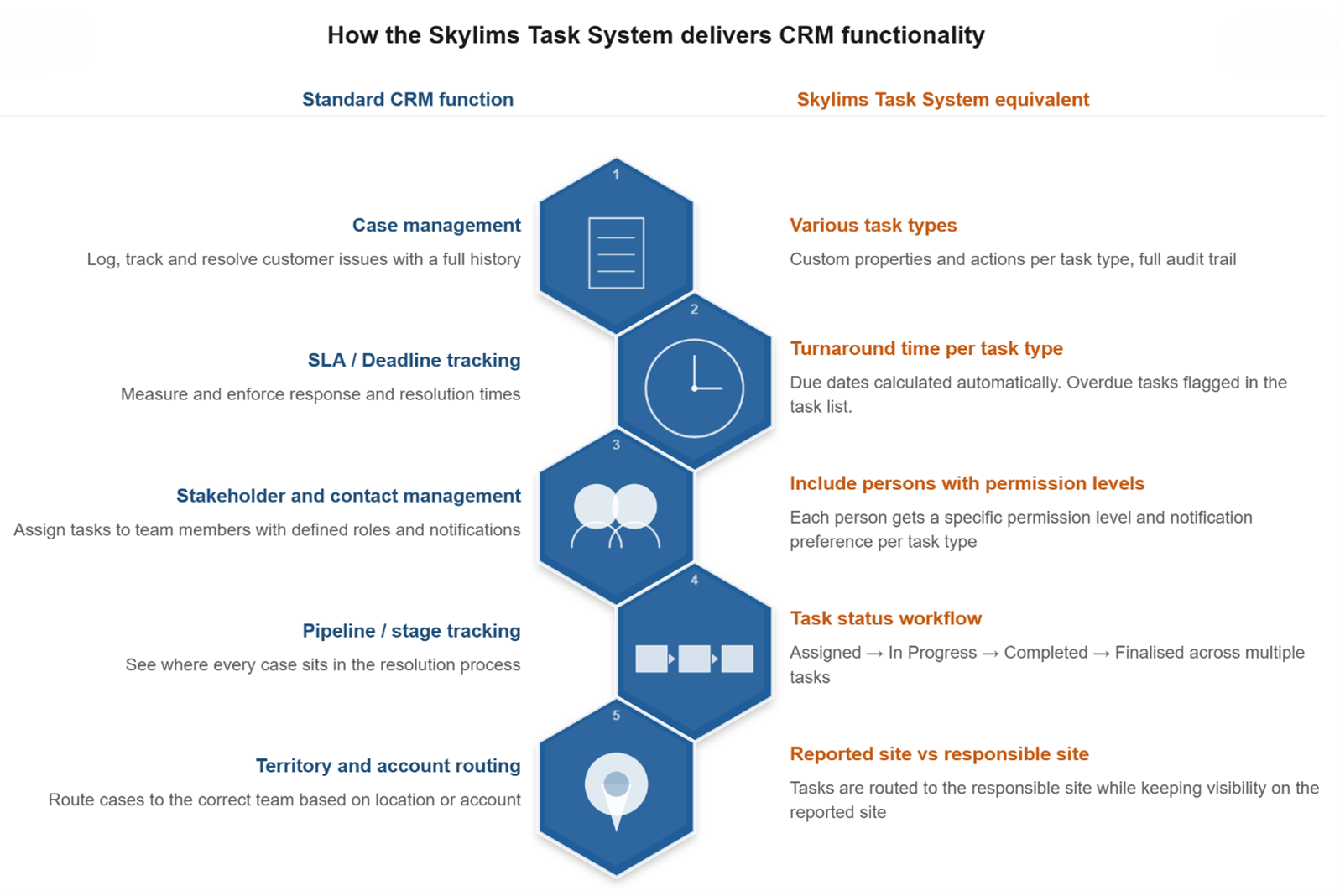
The Skylims Task system does not just capture what went wrong. It creates a living record of how your laboratory responds, improves and learns. Every complaint closed with documented evidence, every non-conformance resolved with a clear corrective action, and every trend identified across your task history contributes to a laboratory that is measurably better than it was the quarter before. The result is a laboratory where nothing is forgotten, everything is traceable and the people responsible are always clear.
| Coming up Next: | Inspired to transform your daily operations into Skylims Tasks? |
|---|---|
| In our next newsletter, we explore the question 'How do I prevent release of incorrect results?' and how Skylims dictionary setup incorporates checkpoints to ensure the correct results goes out every time. |
Contact the Mukon team for expert assistance with configuring tasks according to your custom requirements. Email: support@mukon.co.za Tel: 012 450 0240 |
We hope you enjoyed this newsletter!
Warm regards,
The Mukon Team